The application portal is the front door of the university
 An organization’s website has long been called the digital front door – the most important publication for a school. For recruitment and enrollment, the true front door operationally is the application portal. Then why do so many application systems poorly reflect branding or marketing messaging? Often it’s because the enrollment management system used by the university was created and designed by software developers with simple, reliable operations in mind, not user experience.
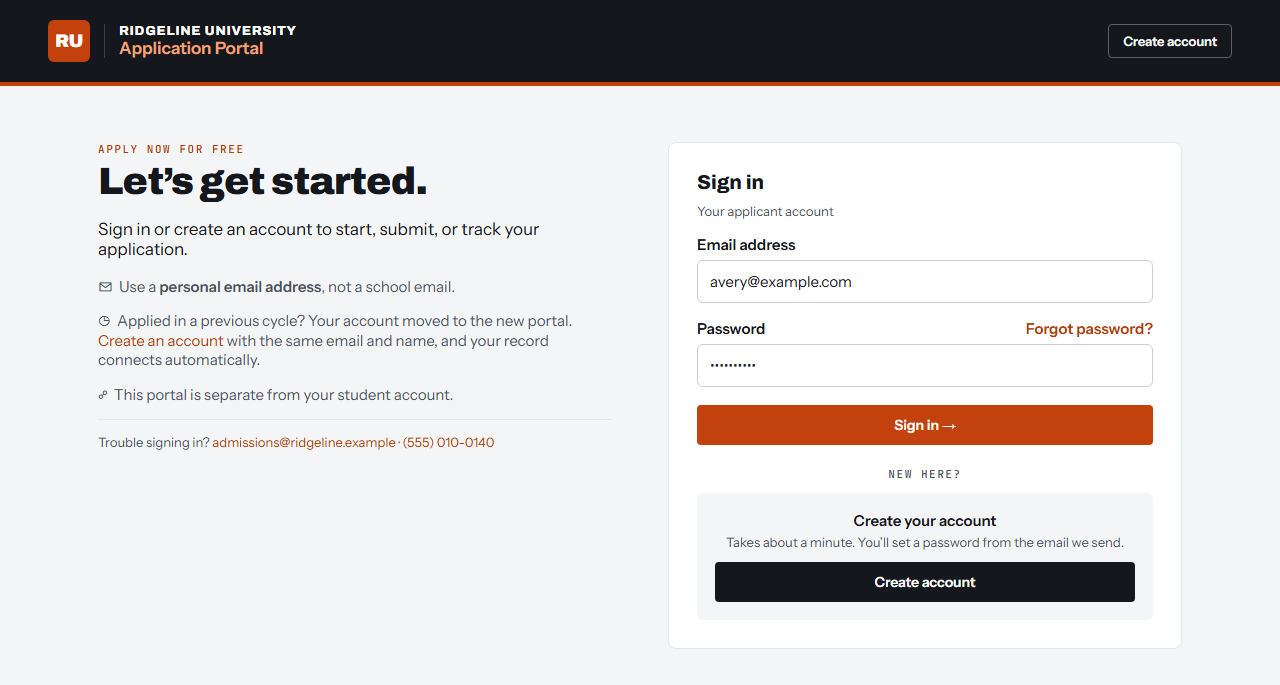
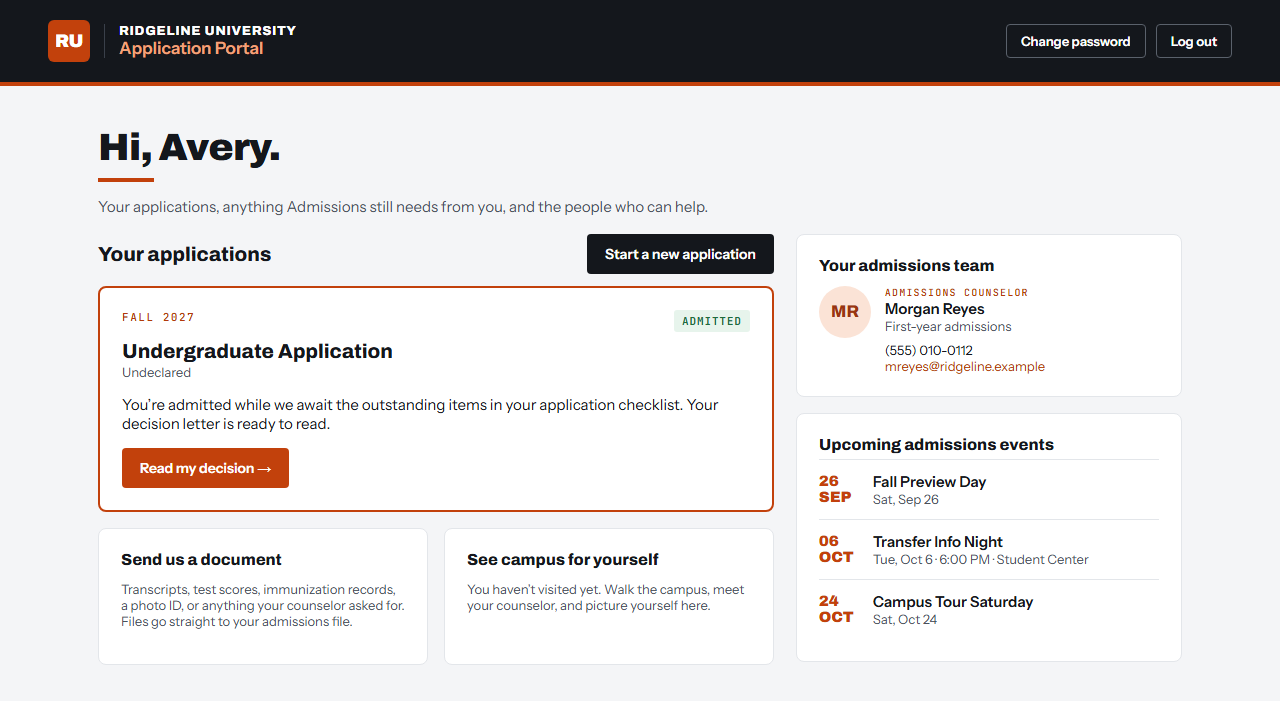
I wanted to share a custom online application portal that I’ve built, replacing some of the default portal templates supplied by TargetX Online Application. This has allowed my university to launch new features, more consistent branding, and ultimately a better experience for applicants. The managed package templates supplied by TargetX are fine, but there were a number of features we really wanted to implement, and building out my own was the only way to really make this happen.
What’s new
- A fully customizable portal experience, with conditional sections and a superior mobile interface.
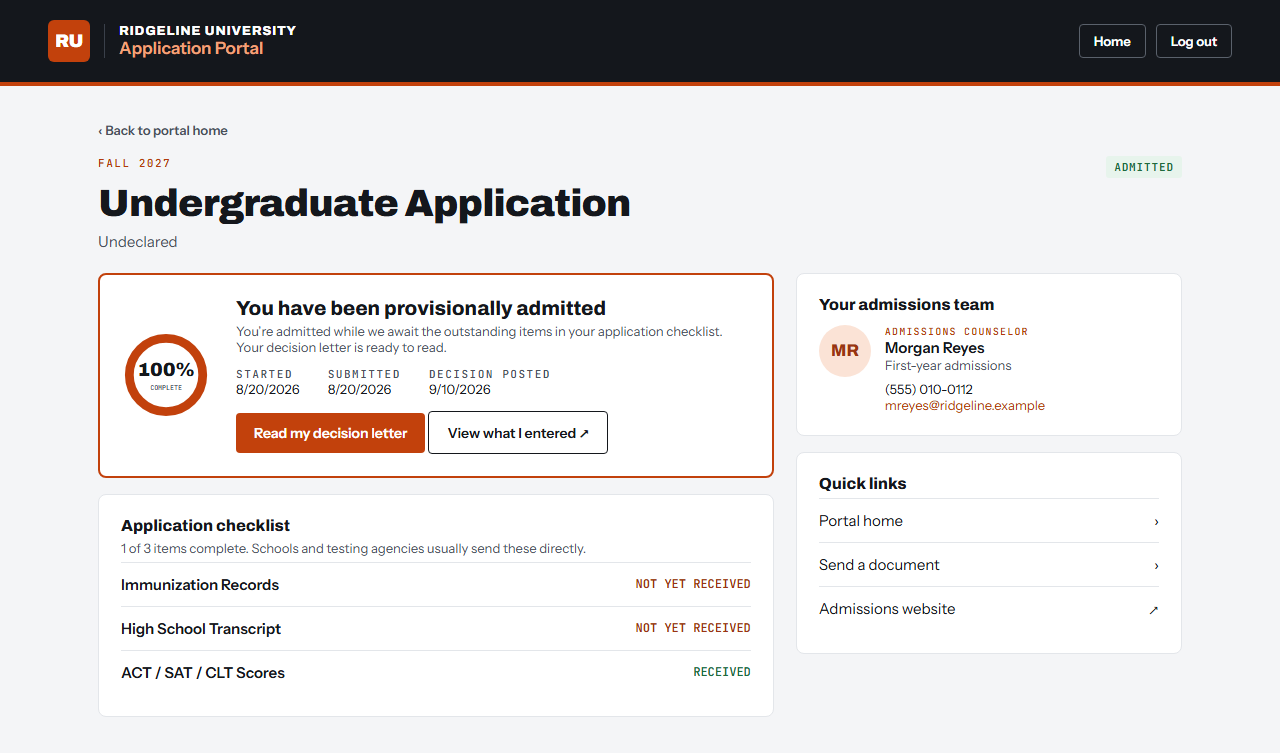
- Improved decision surfacing, conditional across graduate and undergraduate.
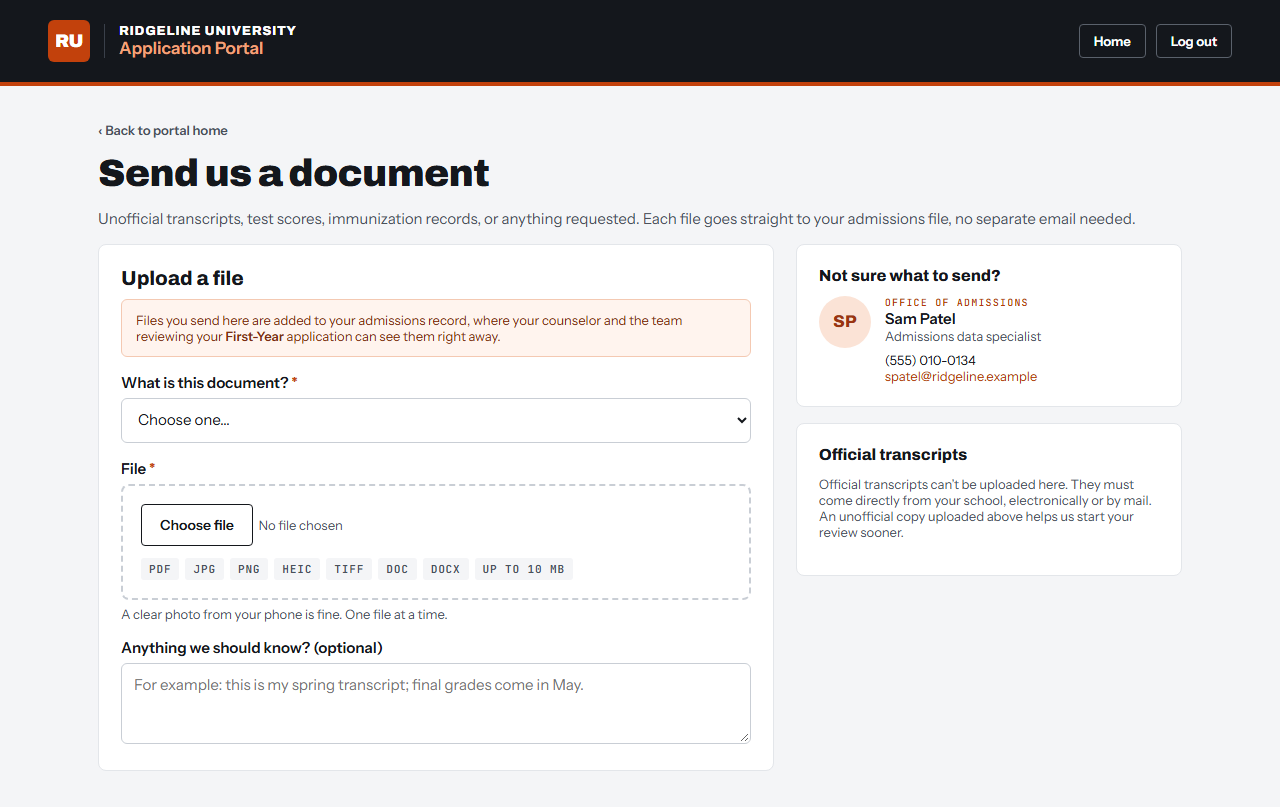
- An integrated document upload interface connected to contact attachments and email notifications.
- Admissions team contact cards, driven by contact ownership, applicant type and program, including the ability to display multiple contacts depending on type and program.
- Improved checklist requirement displays.
- Integration with an external campus calendar to display upcoming admission-related events dynamically.
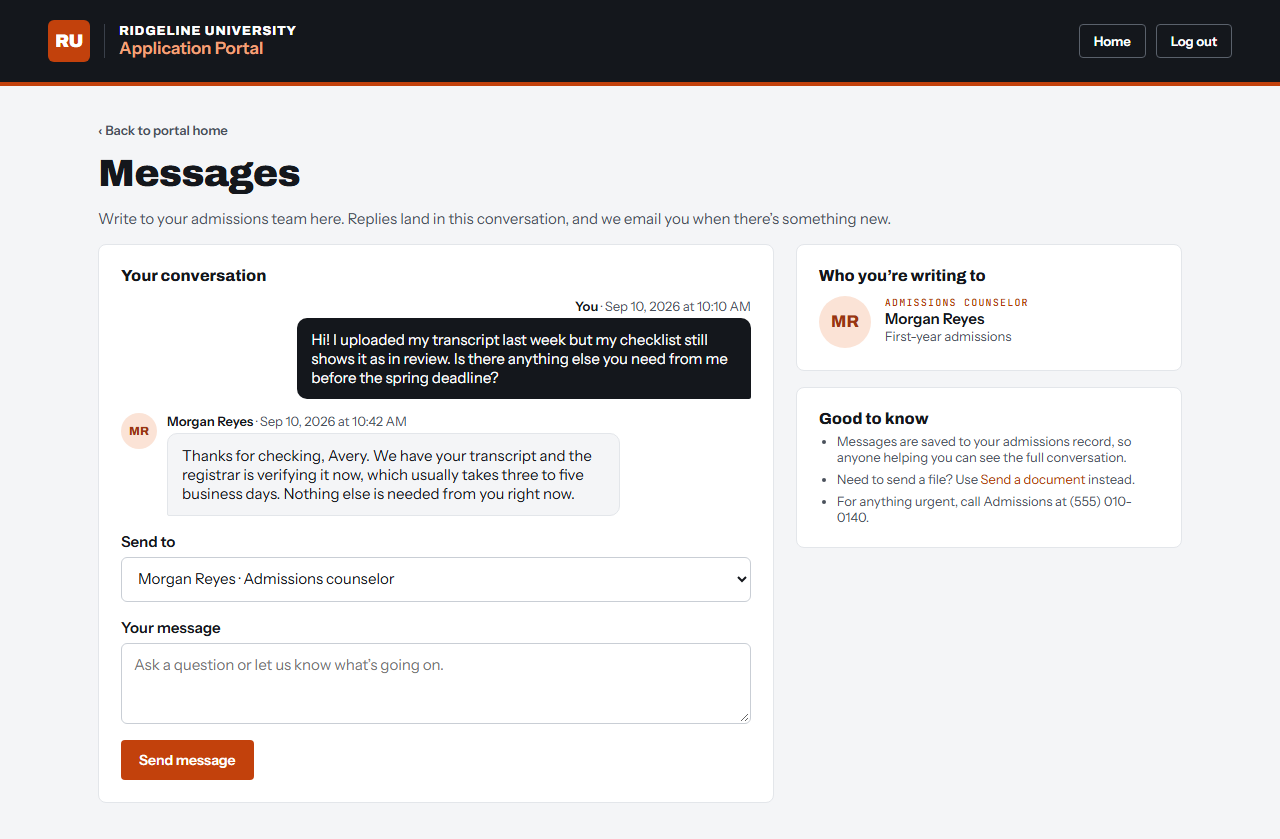
- And yet to launch: a direct messaging tool that allows students to directly contact staff on the platform, all integrated with contact activity logs and marketing touch points. I’m also working on integrated tour scheduling, but for now that links externally.
How it works
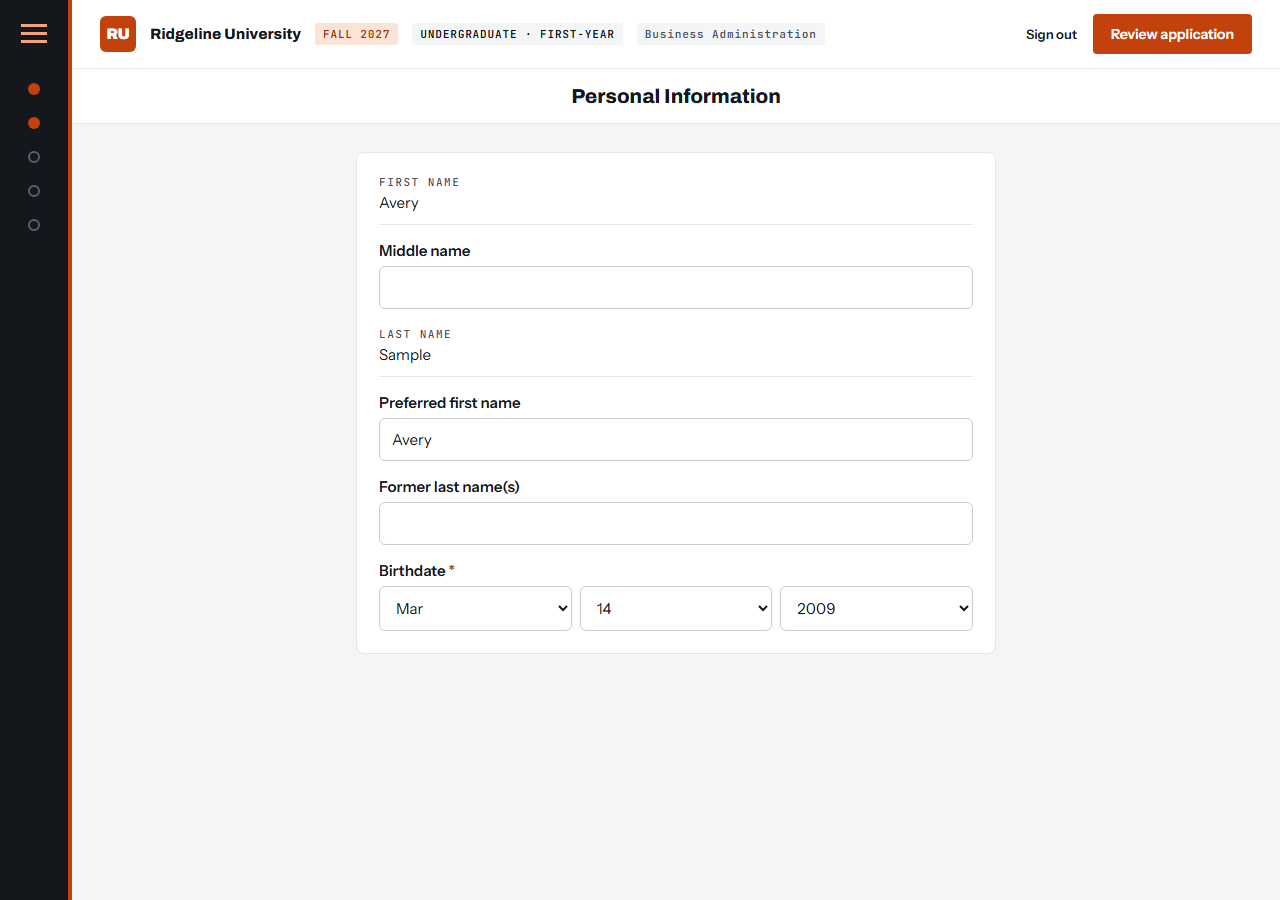
The sign-in and internal application pages are mostly just CSS and JavaScript polish, but they still use the existing TargetX templates with some changes. It’s everything in between that’s all new. The Angular framework that the managed package templates used was just so locked down (understandably), and replacing the TargetX_Portal__PB page was what opened things up.
For our environment, the key to unlock this was changing the community homepage setting, along with building a series of other new Visualforce pages, Apex classes, and a few static resources for styles and such. The homepage setting can be found on the community Themes tab, and it defaults to the TargetX_Portal__PB page. Most of the TX_ Visualforce pages for login, forgotten password, etc., can be edited directly.
Screenshots
The screens below are recreated with a fictional university for this post, decked out in NRD branding.